Real-Time Panel
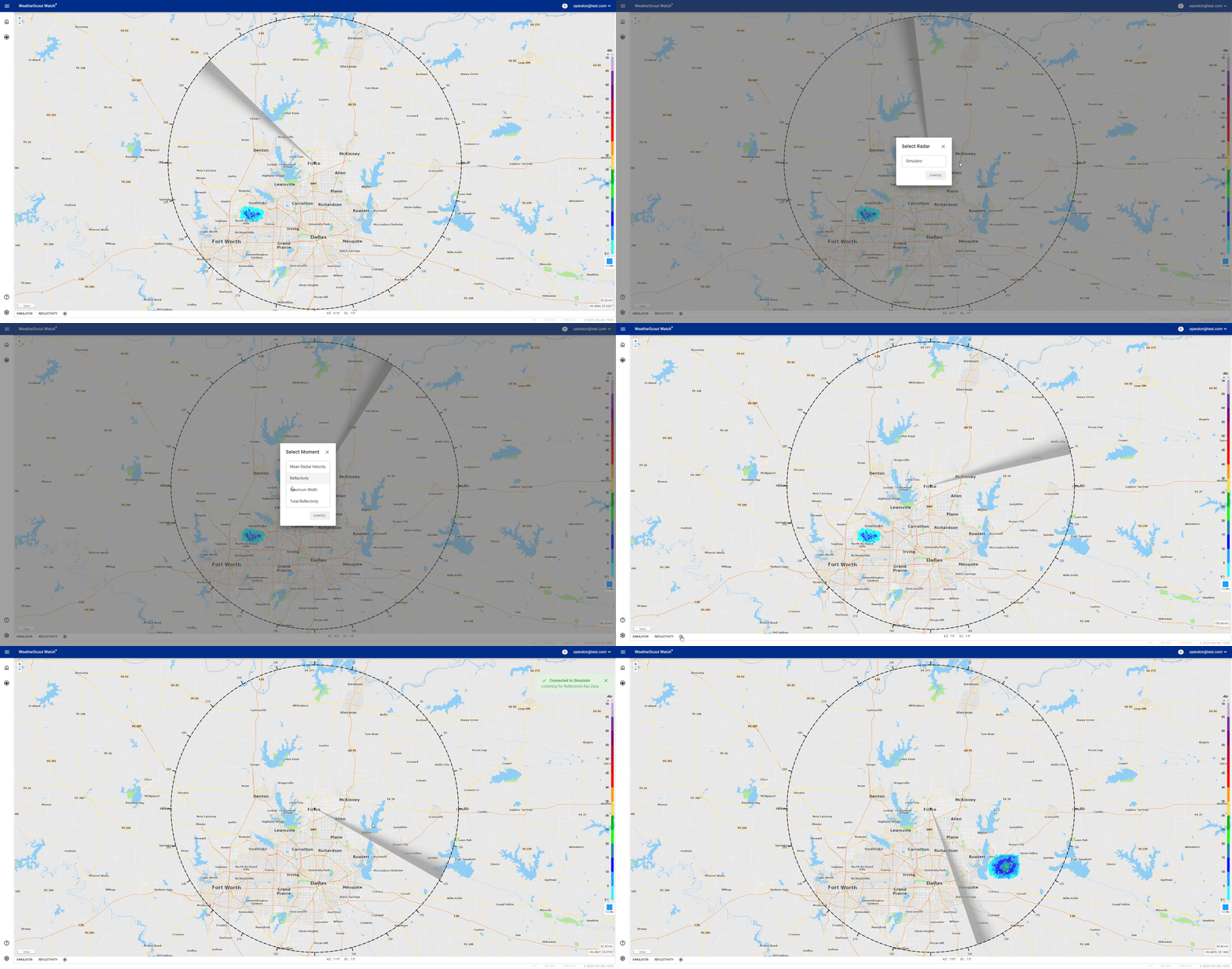
The Live Radar Panel is an interactive and dynamic tool that provides real-time radar coverage with an innovative display of radar products. This panel offers a comprehensive view of radar data, allowing users to customize their experience and gain valuable insights.
Live Panel Display
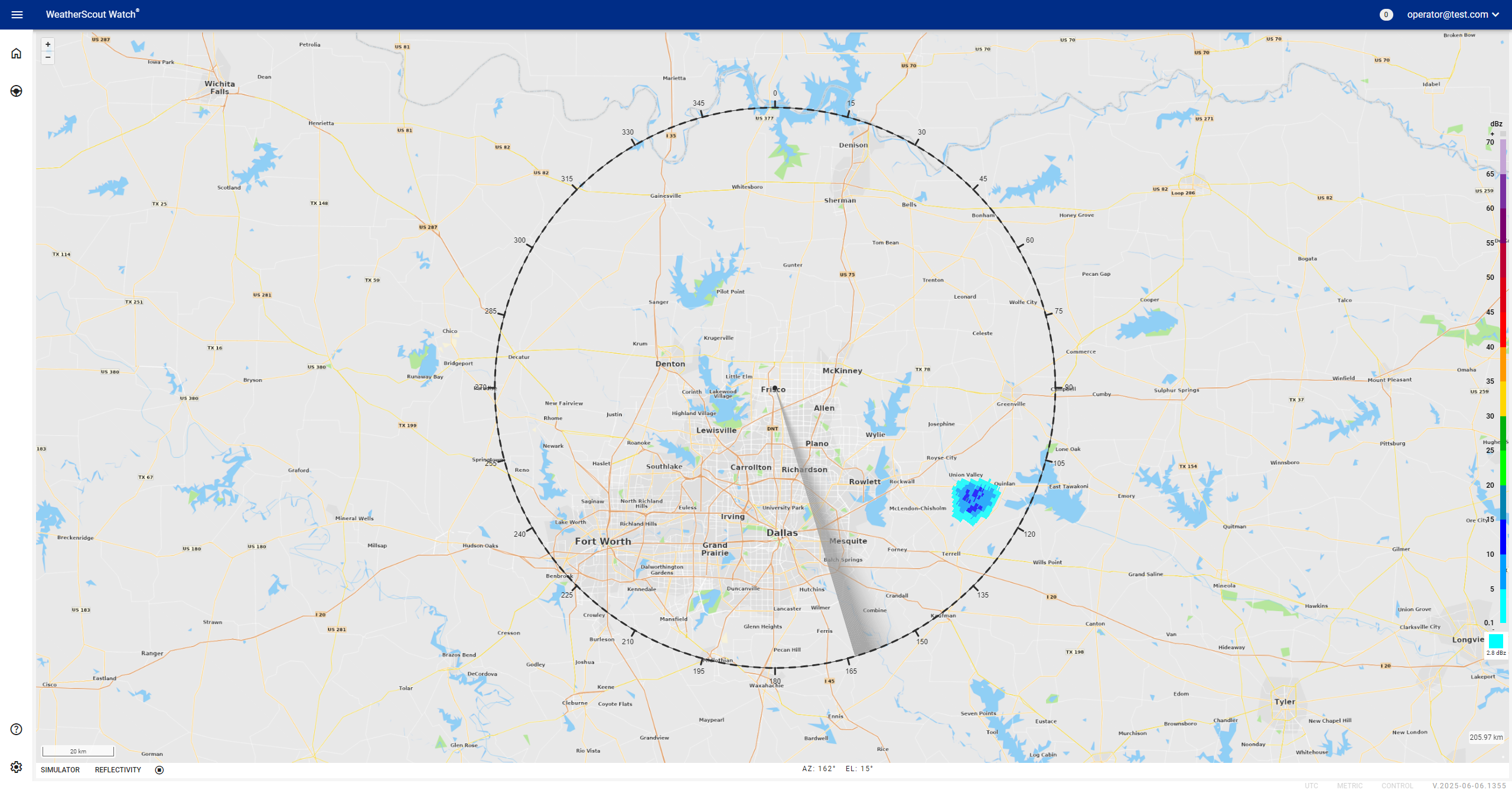
Radar Display
- The main map includes a single radar coverage ring, visually defining the surveillance range.
- Within this ring, a dynamic sweep arm is displayed in grey or green. This arm rotates around the ring, continuously updating and presenting live radar product data as it sweeps.
How to Use
-
Radar Selection:
Click on the radar dropdown to choose the specific radar you wish to view. -
Product Type:
Select the radar product type from the dropdown to customize the displayed data. -
Start/Stop Button
The Live Radar Panel includes a simplified Start/Stop button for controlling the live radar feed. This single button allows users to toggle the radar data stream on or off with ease.
- When stopped, the radar display freezes and no new data is shown.
- When started, the panel resumes showing live radar data from the currently selected radar and product type.
There is no playback scrubber or option to rewind or fast-forward data. The focus is on providing a streamlined live-only experience.